Want to pay your affiliates without using Stripe on WordPress?
Paying your affiliates promptly and efficiently is crucial for maintaining trust and motivating them. But what if you’re not keen on using Stripe? Don’t worry. There are alternative methods that can be just as effective.
In this guide, we’ll walk you through how to pay your affiliates without using Stripe, ensuring a seamless experience for you and your affiliates.
3 Ways to Pay Your Affiliates Without Using Stripe

Affiliate marketing can be a powerful tool to drive sales and grow your online presence. But, like any business venture, it comes with its challenges, one of which is ensuring timely and hassle-free payments to your affiliates.
With Stripe being a common choice for many, you might wonder, “are there alternative ways to reward my affiliates?”
The answer is a resounding ‘yes’.
If you don’t want to pay your affiliates using Stripe, then don’t worry. With AffiliateWP, you can easily pay your affiliates in multiple ways.
Here are three straightforward methods to pay your affiliates, without Stripe:
Method #1: Pay Your Affiliates Using PayPal
Firstly, make sure you have AffiliateWP installed on your WordPress site. The beauty of AffiliateWP is how seamlessly it integrates with PayPal. This integration simplifies the entire process of managing and paying your affiliates.
Once you select the plan that suits your requirements, downloading the plugin is just a few clicks away.
Once you’ve installed AffiliateWP, the next step is to turn on PayPal. PayPal payouts are built into AffiliateWP, so there’s no separate add-on to install.

PayPal offers two payout methods: API Application (which we recommend due to its utilization of PayPal’s latest REST API) and the older MassPay.
Navigate to AffiliateWP » Settings » Payouts to set up PayPal and choose your preferred method. Do note, however, that payouts might not be active for all PayPal accounts. If you face issues, a chat with PayPal merchant support might be needed.
Post the API setup, you’ll see a Pay option on unpaid referrals, which sends the payment through the affiliate’s payout method. Simply click it to initiate payments. Remember, affiliates need a valid PayPal account linked to their email.
If not, PayPal sends them an invite. For bulk payments, you can either select multiple referrals and choose Pay to review and send them as one batch, or use the Pay Affiliates button to initiate a consolidated payment process.
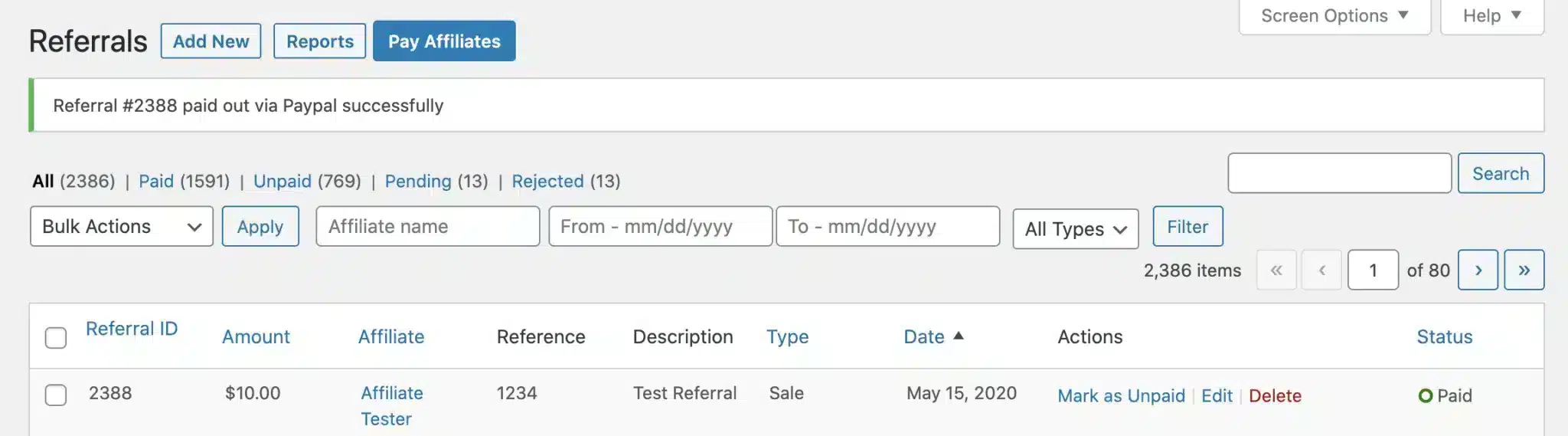
Always ensure your PayPal has enough funds to cover all payments. Additionally, granting your PayPal account API access is mandatory to utilize PayPal Payouts with AffiliateWP.
And yes, while we’ve designed the system to be seamless, errors can occur. This could be due to insufficient permissions or incorrect API details. But worry not, for any hiccup, AffiliateWP will keep you notified.
Want to know how you can easily pay your affiliates using PayPal? Check out this guide.
Method #2: Pay Your Affiliates in Store Credit
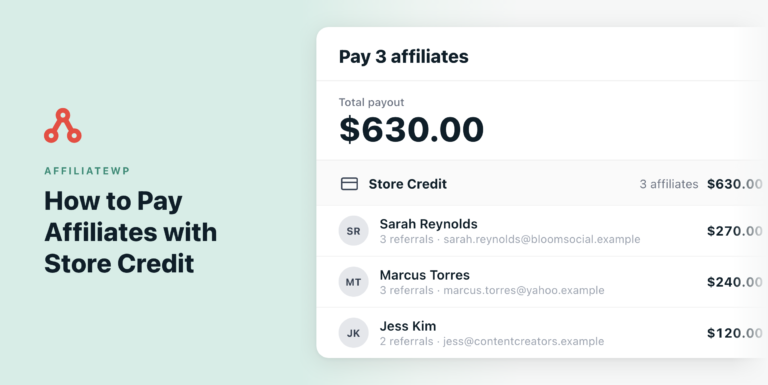
If your store runs on WooCommerce or Easy Digital Downloads, you can pay affiliates in store credit instead of cash. Their earnings are added as credit they can use in your store, so there’s no payment processor involved at all.
Store credit is built into AffiliateWP. Turn it on from the Payouts tab in your AffiliateWP settings, and you can pay affiliates in store credit from the Pay Affiliates screen, alongside any other payout method you use.
Want the full setup steps? Check out the store credit documentation.
Method #3: Pay Your Affiliates via Bank Transfer
As businesses seek flexibility in payment methods, Bank Transfers emerge as a trustworthy and time-tested solution. Especially when you aim to sidestep third-party platforms like Stripe, direct bank transfers offer simplicity and directness.
If the methods involving PayPal and store credit don’t align with your business model or if you’re inclined towards a more hands-on approach, bank transfers are your answer.
Paying affiliates via bank transfers means you’re handling the transactions personally, outside the domain of AffiliateWP. This method involves a straightforward procedure. You converse with your affiliates, informing them about the payment modality.
Following this, they’ll provide you with their banking details, equipping you with all the necessary information to initiate the transfers.
If your bank supports mass payments, the process is even more streamlined. AffiliateWP plays a role here by allowing you to export a CSV payout file.
To generate your CSV payout file, head over to AffiliateWP » Payouts and click Pay Affiliates. Pay the batch with the manual method, and AffiliateWP downloads a CSV file of affiliates along with their respective totals when the payout finishes. The resultant file will highlight email addresses, accumulated amounts, and the chosen currency for each affiliate in the payout.
Upload this file to your bank’s online portal to send the payments. AffiliateWP has already recorded the payout and set the included Unpaid referrals to Paid. This feature is a timesaver, especially when dealing with multiple affiliates.
However, in cases where your bank doesn’t offer mass payment options, you can easily process individual payments.
Even though the actual money transfer is happening outside AffiliateWP, it’s crucial to maintain a record within the system.
After processing the bank transfers, you should manually mark the referrals as Paid on the AffiliateWP » Referrals page. This ensures clarity and avoids any confusion in the future.
FAQs: Pay Your Affiliates Without Using Stripe
While Stripe is a popular choice, it might not be available in all regions or may not cater to specific business needs. Exploring alternatives ensures a broader reach and flexibility in rewarding affiliates.
AffiliateWP offers a comprehensive dashboard for both managers and affiliates. It allows easy tracking of generated links, referrals, and overall performance.
Definitely! AffiliateWP is flexible and lets you choose or switch between multiple payment options based on your convenience.
Start Paying Your Affiliates Seamlessly
Using AffiliateWP, paying your affiliates in WordPress has never been easier or more versatile.
Using AffiliateWP’s payout methods means bypassing payment hassles and focusing on what truly matters: growing your affiliate program and expanding your brand’s reach. You’ve journeyed with us through the setup and explored diverse payout methods. But remember, this is just the beginning.
To further enhance your affiliate management journey, consider diving into:
- How to Collect Donations via PayPal (WordPress Guide)
- How to Start a WordPress Affiliate Program (Easy Steps)
- How to Get Influencers to Promote Your Products for Affiliate Marketing
- What is Affiliate Tracking and Why Do You Need It? (Essential Guide for 2023)
You’re now armed with the knowledge to kickstart or revamp your affiliate program without relying on Stripe. So, why wait?