





Would you like to know exactly when a member moves to a new VIP tier? RewardsWP checks members’ tiers automatically when their totals change. Each kind of check decides whether members get an email and an entry reward.
In this guide, we’ll walk you through every event that updates a member’s tier and what the member receives each time. All you need is a Pro license level and the VIP Program turned on.
Requirements: The VIP Program requires a Pro license level and an active WooCommerce or Easy Digital Downloads store.
Before you get started, make sure RewardsWP is installed and activated on your WordPress site.
Updating Tiers as Members Shop, Earn, and Refer
Most tier changes happen the instant a member does something. RewardsWP checks the member’s tier right away when:
- They earn points. This covers any approved points entry, including points from a purchase, a signup, a review, or points you add by hand.
- Their order is paid. With WooCommerce, this is when an order moves to processing or completed. A cash on delivery order counts once it’s completed. With Easy Digital Downloads, it’s when a purchase completes.
- Their order is refunded or stops counting. A refund triggers a check, and so does a paid order that’s cancelled or moved to the trash, since each can lower a member’s spend. With WooCommerce, only a full refund lowers the spend total.
- Their referral completes. When members qualify by completed referrals, each completed referral triggers a check for the referring member.
These are real tier changes. A member promoted this way receives the Tier Reached email and the tier’s entry rewards. A member who drops below their tier starts their grace period or moves down, and gets the matching email.
Running the Daily Tier Check
Once a day, RewardsWP checks every member who holds a tier. This catches changes no single event causes, such as points aging out of the Counted over window or a grace period ending.
The daily check only moves members down or starts their grace period. When it does, it sends the Tier At Risk or Tier Demoted email.
It doesn’t send the Tier Reached email or issue entry rewards, since those come with a promotion a member earns. When members qualify by lifetime points, nobody can move down through their own activity, so the daily check doesn’t run.
Updating Tiers After You Change Settings
Some settings change who belongs in which tier. When you save one of these changes on the VIP tab, RewardsWP re-checks every member in the background:
- Turning the VIP Program on.
- Adding your first tier.
- Changing the Qualify by option or the Counted over window.
- Changing a tier’s threshold.
- Enabling, disabling, or removing a tier.
After you save, a message confirms that RewardsWP is re-checking member tiers in the background.
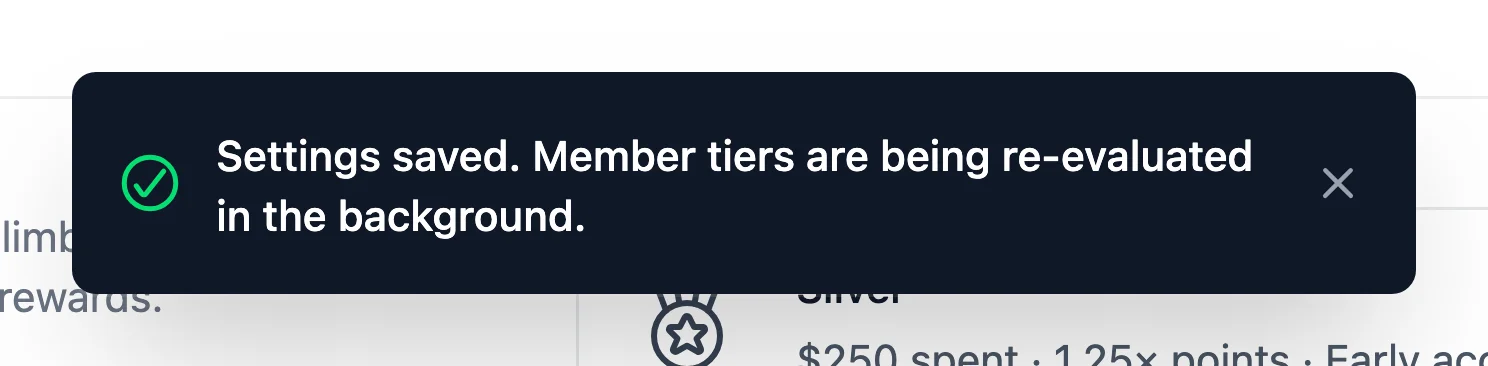
This re-check is silent. Members move to the tiers they now qualify for without any tier emails or entry rewards. That way, launching VIP or reshaping your ladder doesn’t send a large batch of emails to your customers.
If the re-check starts a member’s grace period, the next daily check sends them the Tier At Risk email.
Large stores may take a little while to finish, since RewardsWP processes members in small groups.
Changes that don’t affect who qualifies, such as a tier’s name, description, icon, multiplier, entry rewards, or perks, don’t trigger a re-check. They apply to members straight away.
Comparing What Each Update Sends
| Update | Moves members up | Moves members down | Tier Reached email and entry rewards | Tier At Risk and Tier Demoted emails |
|---|---|---|---|---|
| Member activity | Yes | Yes | Yes | Yes |
| Daily tier check | No | Yes | No | Yes |
| Settings change | Yes | Yes | No | No |
That’s it! You now know when RewardsWP updates members’ tiers and what each update sends. Next, to see how members follow their status, read Showing VIP Status in the Rewards Widget. To change what the tier emails say, read Customizing VIP Tier Emails.
FAQ
Below, we’ve answered some of the most common questions about when VIP tiers update.
Why hasn’t my member moved up to a tier they qualify for?
Tier changes happen when the member’s total changes. If you lowered a threshold, the member moves up once the background re-check reaches them. Otherwise, check that the program your tiers count is on, such as the Points Program when members qualify by points. Qualification pauses while it’s off.
Will members get an email when I launch VIP?
No. Turning VIP on and adding tiers places existing members silently. After that, members get tier emails when their own activity or the daily check changes their tier.
Do my silently placed members still get entry rewards later?
Entry rewards are issued when a member is promoted into a tier. A member placed silently receives the entry rewards of the next tier they reach through their own activity.