





Want to ensure affiliates are making the most of your creatives?
We’ve released AffiliateWP 2.12.0 and it’s going to revolutionize the way your affiliates interact with creatives and ensure they’re much easier to use.
So, what’s new in 2.12.0 and how are we changing affiliate creatives?
Let’s take a look!
Organize your Creatives with the all-new Categories Screen
If you’ve got a lot of creatives, then they can get a little bit messy. Your affiliates see lots of different links in their Affiliate Area and they’re not sure exactly what each one is.
Creative categories completely changes this, giving your affiliates an improved experience, so they’re more likely to use your affiliate creatives.
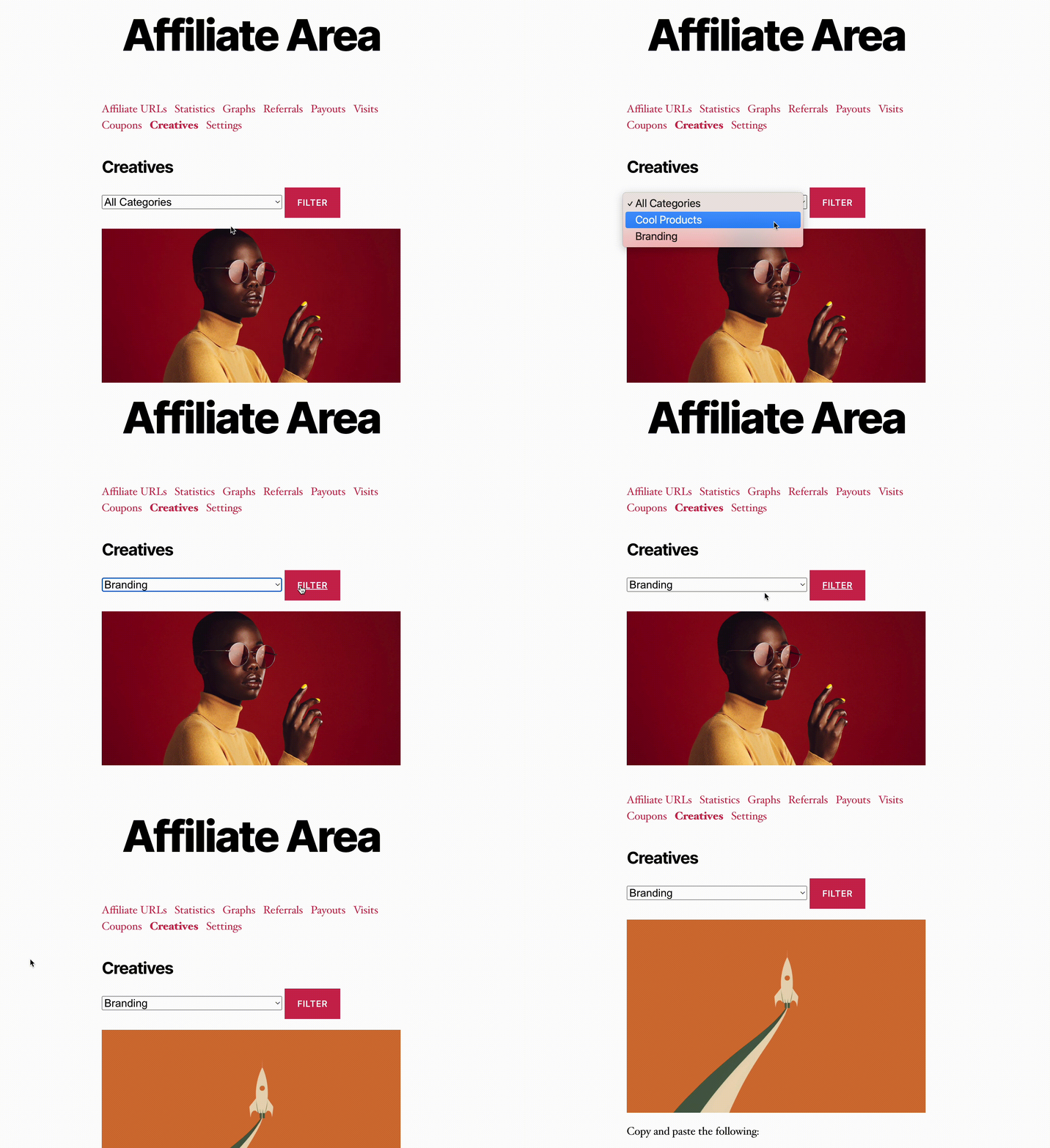
And affiliate creatives are vital tools for your program!
They’re super easy to use, which helps to increase engagement, and they convert well. If you’re producing professional-looking creatives, then you want your affiliates to use them at every opportunity, and that’s why we’ve made them even easier to engage with.
Once you’ve downloaded 2.12.0 go to your AffiliateWP -> Creatives admin screen, and you’ll see a new Categories sub-level menu. This will enable you to create different creative categories so that they’re easy for your affiliates to access in the Affiliate Area.

As soon as you’ve created your categories, you can go back to the Creatives page and add existing or new creatives to the different categories. Just click Edit on your existing creatives or hit the Add New button, and you’ll see a Category option. Start typing the name of the category and select it from the drop-down menu. You can choose to add creatives to multiple categories or a single one, and you’ll be able to filter creatives by category from the Creatives page.

Now when your affiliates log in to their Affiliate Areas, they’ll be able to sort creatives by category directly from the Creatives tab.
With 2.12.0 affiliates are going to be able to quickly and easily find creatives and this is going to have a positive impact on your program.
We’re Working on Even More Awesome Updates
We’ve got big plans for AffiliateWP in the coming weeks and months!
Our goal is to make your affiliate program the most successful it can be, and that means we’re always thinking up new features to help you take things to the next level.
We’ll have some super exciting announcements coming up in the near future, so stay tuned!
Remember to update to 2.12.0.
And if you’re not using AffiliateWP yet, it’s time to get on board.



Creatives are fine, but I would like the ability to have a referral partner go to a Gravity Form, put in their affiliate code (or account email) and have the form connect the form referral to the submitter. Right now, you must link to the referral form for it to capture the referrer.
Plus, make it easier to connect an associate sale to the affiliate–if it is not connected via a link.
I am so excited to see this! It is one of the features I have been wishing for 🙂
Can we use video now or is it still confined to words and photos?