You’re close to picking an affiliate plugin, and you want to know whether AffiliateWP is the right one before you commit, including where it falls short.
Here’s the short answer: AffiliateWP is a WordPress plugin for running your own affiliate program. It tracks referrals from WooCommerce and 20+ other plugins, and pays affiliates through Stripe, PayPal, store credit or manual payouts on every plan. It suits WordPress stores that want the whole program inside their own dashboard, and it isn’t built for stores that run outside WordPress.
In this review, I’ll walk you through what AffiliateWP does well, where it stops, who should choose something else, and what setting it up involves.
The short version
- Strong at: tracking sales from the plugins you already use, and paying affiliates four ways on every plan.
- Built in: a setup wizard, fraud checks, AI-assisted application review and a connection for AI assistants.
- Where it stops: scheduled payouts, lifetime and recurring commissions, and the Affiliate Portal are on the Pro plan, and several Pro features are separate addons you install.
- Not built for: stores off WordPress and SaaS products billed entirely through Stripe.
- Setup: a five-step wizard, then a Setup screen of next jobs. Payouts take the longest, because they depend on your Stripe or PayPal account.
What AffiliateWP does well
Tracks sales from WooCommerce, EDD, MemberPress and more
The first thing to check with any affiliate plugin is whether it can see the sales your store already makes. AffiliateWP has built-in integrations for WooCommerce, Easy Digital Downloads, MemberPress, LearnDash, LifterLMS, Paid Memberships Pro, Restrict Content Pro, Gravity Forms, WPForms, WP Simple Pay and more.
Those integrations are on every plan, which means a course site can add a WooCommerce shop later without changing affiliate plugins.
Your affiliates can earn from referral links or from coupon codes assigned to them. Commissions can be a percentage or a flat amount, and you can set rates per affiliate when you need them.
If you’d like to check your own setup against it, the full list is on the integrations page.
Pays affiliates four ways, on every plan
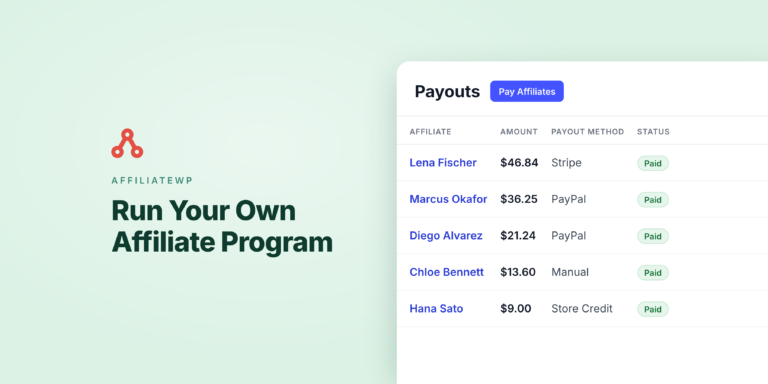
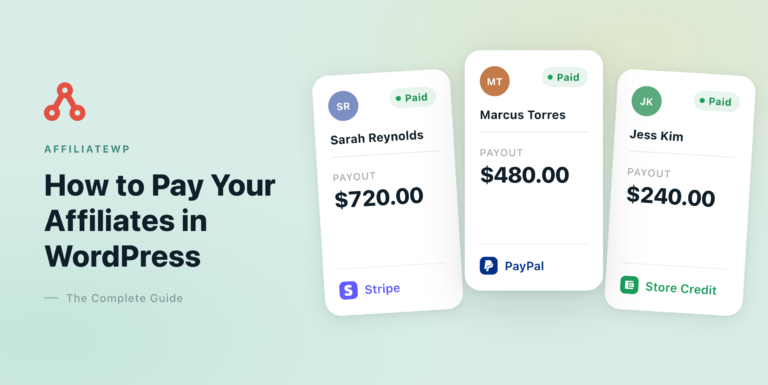
Once referrals are being tracked, you need a way to pay for them. Stripe, PayPal, store credit and manual payouts are all available on Personal, Plus and Pro, and no payout method is locked to a plan.
You run payouts from AffiliateWP » Payouts with the Pay Affiliates button. Each affiliate is paid through their own method, so a single batch can mix Stripe and PayPal.
Stripe payouts pay affiliates in your own country, and abroad depending on where your Stripe account is based.
AffiliateWP creates a Stripe Express account for each affiliate, who then confirms their details with Stripe. For US affiliates paid from a US Stripe account, Stripe collects tax details during onboarding and can issue the 1099.
If a payout doesn’t go through, you can retry it. Affiliates can also be emailed when a payout needs them to fix something.

If you’d rather not start each payout run yourself, that’s where the Pro plan comes in.
Pays on a schedule, on Pro
On the Pro plan, payout schedules pay affiliates weekly on a day you choose, or monthly on a date from the 1st to the 28th or the last day. You set them up at AffiliateWP » Payouts » Schedules.
You can also set a minimum earnings amount, so small balances roll over rather than being paid out. Affiliates set to Manual are skipped, because there’s nothing to send automatically.
Catches common fraud without an extra plugin
Because affiliates are paid per referral, it helps to know which referrals shouldn’t count. The Anti-Fraud tab at AffiliateWP » Settings blocks self-referrals by default and lets you block visits from specific referring sites, on every plan.
Pro adds checks for referring sites that don’t match the affiliate’s application, unusual conversion rates, paid ad traffic and repeated sign-ups from one IP address.
For most checks, you choose whether to allow, flag or reject what they find. The Anti-Fraud doc covers each one.
Gives each affiliate a dashboard
Your affiliates need somewhere to find their links and follow what they’ve earned. They sign in to the Affiliate Area, a page on your own site that uses your theme.
Its tabs cover their referral links, creatives, statistics, graphs, referrals, payouts and visits, plus a Coupons tab when they have coupons assigned.
On the Settings tab, affiliates add their payout details, connect Stripe or enter their PayPal email, and pick a payout method if you let them choose.
If you’re on Pro, the Affiliate Portal addon replaces this with a separate dashboard that has its own design.
Reviews applications with AI and connects to AI assistants
AI shows up in two places in AffiliateWP: reviewing affiliate applications, and connecting your program to an AI assistant.
On the Review Affiliate screen, Review with AI reads an applicant’s answers and your own review instructions, then suggests accepting or rejecting with a short reason.
You still make the decision. The feature needs a valid license and uses AI review credits.
Separately, the AI MCP tab at AffiliateWP » Tools lets an AI assistant such as Claude or ChatGPT read your program data on WordPress 6.9 or later. Write access is off until you turn it on.
Now that you’ve seen what AffiliateWP does, let’s look at what it takes to get it running.
What setting up AffiliateWP involves
The setup wizard
After you activate the plugin, a five-step wizard walks you through the basics. Here’s what each step asks of you:
- Welcome: enter your license key.
- Plugin Integration Setup: AffiliateWP detects supported plugins, such as WooCommerce, and turns their integrations on for you.
- Payouts: tick the methods you plan to use, such as Stripe, PayPal, and store credit if you run WooCommerce or Easy Digital Downloads. Manual payouts are always available.
- Commissions and Growth Tools: set your currency and default commission amount, and pick any recommended features.
- All set: a summary of what’s configured.

Once you finish the wizard, the remaining jobs move to the Setup screen.
The Setup screen
The Setup screen lists what to do next: create the affiliate registration form, add yourself as your first affiliate so you can test, and set up Stripe, PayPal or store credit.
On Pro, it also offers to turn on the Affiliate Portal. One of those jobs takes longer than the rest, and it helps to plan for it.
The part that takes the longest
Tracking is ready as soon as the integration is on. Payouts take longer, because they depend on accounts outside WordPress.
Stripe needs your secret key at AffiliateWP » Settings » Payouts, and each affiliate completes Stripe’s onboarding before their first payout. PayPal needs a PayPal app with the Payouts permission.
Before you invite real affiliates, place a test order through your test affiliate’s link and check the referral appears under AffiliateWP » Referrals.
Do the test logged out and with a different email from the affiliate’s. Self-Referral Protection rejects referrals where the buyer is the affiliate, so a test order placed as yourself would be rejected.
Where AffiliateWP stops
Where AffiliateWP stops is worth being upfront about, because these limits are the ones most likely to decide whether it fits your store. Here they are in plain terms:
- Several features are Pro only. Automatic payouts, Lifetime Commissions, Recurring Referrals, Tiered Affiliate Rates, Multi-Tier Commissions, the Affiliate Portal, Affiliate Landing Pages, Vanity Coupon Codes and the Pro Anti-Fraud checks all need Pro.
- Some Pro features are separate addons. Recurring Referrals, Lifetime Commissions, Multi-Tier Commissions and the Affiliate Portal are installed from AffiliateWP » Addons. They come with the plan, but each is another plugin to keep updated.
- Lower plans show upgrade prompts. Pro features appear with a Pro label and an upgrade card on Personal and Plus, so you’ll see what’s available above your plan.
- Schedules are weekly or monthly. There’s no daily or every-two-weeks option.
- Paying abroad depends on your Stripe account’s country. Bank payouts direct to an affiliate’s bank, with no Stripe account on their side, need a US- or UK-based Stripe account. PayPal pays in your store’s currency.
- Store credit needs a store. It works with WooCommerce, or Easy Digital Downloads with the EDD Wallet extension.
Most of these come down to your plan or your platform, which leads to the question of who should pick something else.
Who AffiliateWP isn’t for
AffiliateWP isn’t the right tool for every business, and depending on how you sell, another option may fit better for:
- Stores that aren’t on WordPress. AffiliateWP is a WordPress plugin, so a store on a hosted platform needs a hosted affiliate tool.
- SaaS products billed through Stripe, with WordPress only as the marketing site. A Stripe-native hosted tool fits that better.
- Buyers who want every feature on the entry plan. AffiliateWP puts some features on higher plans, so check the plan you need on the pricing page.
Which plan includes what
Here’s how the plans line up, with each one building on the plan before it:
| Plan | Sites | What the plan adds |
|---|---|---|
| Personal | 1 | Stripe, PayPal, store credit and manual payouts, coupon tracking, Review with AI, WooCommerce and 20+ integrations |
| Plus | 2 | Everything in Personal, plus Multi-Currency, commission on signups, an affiliate welcome bonus and leaderboards |
| Pro | 5 | Everything in Plus, plus automatic payouts, the Pro Anti-Fraud checks, lifetime and recurring commissions, tiered and multi-tier rates, the Affiliate Portal and landing pages |
| Growth Bundle | 10 site licenses | AffiliateWP Pro plus RewardsWP Pro |
Since every payout method is already on Personal, the plan question is mostly about the extras in the Plus and Pro rows. Current prices are on the pricing page.
Track referrals and pay affiliates inside WordPress. Track referrals from 20+ plugins and pay affiliates through Stripe, PayPal or store credit on every plan. 14-day money-back guarantee. See AffiliateWP plans
Frequently asked questions
Here are straight answers to the questions buyers tend to ask before choosing a plan.
Do you pay for AffiliateWP once or every year?
Every year. AffiliateWP is a yearly license on every plan, not a single purchase, and there’s no lifetime option. The first year is discounted, and renewals are at the regular price. You’ll find the current figures on the pricing page, and every plan comes with a 14-day money-back guarantee.
Is there a free version or a free trial?
No. AffiliateWP has no free version and no trial, but every plan has a 14-day money-back guarantee instead.
That gives you time to install it, run the setup wizard, connect your store and confirm a test referral is tracked. If it doesn’t fit, you can ask for a refund within that window.
Does AffiliateWP work without WooCommerce?
Yes. WooCommerce is one of 20+ built-in integrations, and AffiliateWP also tracks sales from Easy Digital Downloads, MemberPress, LearnDash, LifterLMS, Paid Memberships Pro, Restrict Content Pro, WP Simple Pay and several form plugins.
Store credit payouts are the exception: they need WooCommerce, or Easy Digital Downloads with EDD Wallet.
Can I pay affiliates in other countries?
Yes. Stripe pays affiliates in your own country and, depending on where your Stripe account is based, in many countries abroad. PayPal pays to the affiliate’s PayPal email, in your store’s currency.
If neither one covers an affiliate, you can pay them another way and record a manual payout afterwards.
What happens if I don’t renew?
Referral tracking, the Affiliate Area and your data keep working, and nothing is deleted. Updates, support and addon downloads stop, and Plus and Pro features built into the plugin, such as automatic payouts and the Pro Anti-Fraud checks, pause.
AffiliateWP also shows renewal notices in your WordPress admin. About three weeks after the license stops being valid, its admin screens lock until you renew.
Next, plan how to pay affiliates
Now that you know what AffiliateWP covers and where it stops, the natural next step is planning how you’ll pay affiliates, since that’s the part of setup that needs the most thought.
The guide to automating affiliate payouts in WordPress walks you through choosing methods and setting a schedule. If you’re still choosing a plugin, the WooCommerce affiliate plugins comparison covers more options.
Start an affiliate program on WordPress
Set up tracking with the wizard, then pay affiliates through Stripe, PayPal or store credit. 14-day money-back guarantee.