




Affiliate Portal
A Modern Affiliate Portal on Your Own Site
Give every affiliate one dashboard for their links, referrals and payouts, in your store’s brand.


The Affiliate Portal is included in every plan.
Give Affiliates a Link for Any Product
In the Affiliate Portal, affiliates search your products and pages and get a tracked link in one click, so they promote what suits their audience without asking you for a link. Each saved link shows its own visits, referrals and earnings.
Match the Portal to Your Store
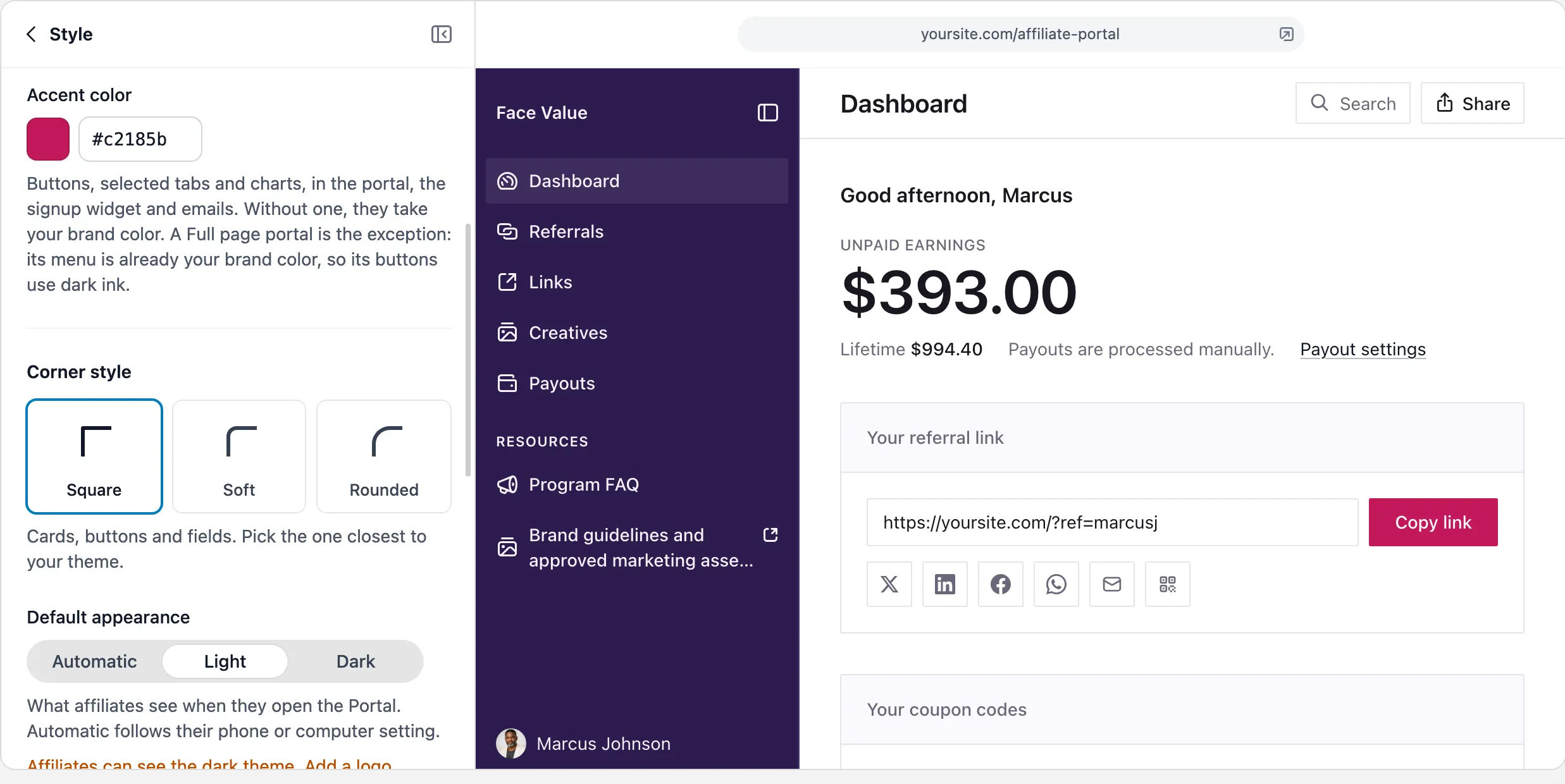
Give the Affiliate Portal your store’s colors, logo and fonts in AffiliateWP, and the live preview shows it the way your affiliates will see it.
Run Your Affiliate Program on Your Own Site
Black Friday: Pro for $179.70 / first year
Customize the Portal Menu With Your Own Pages
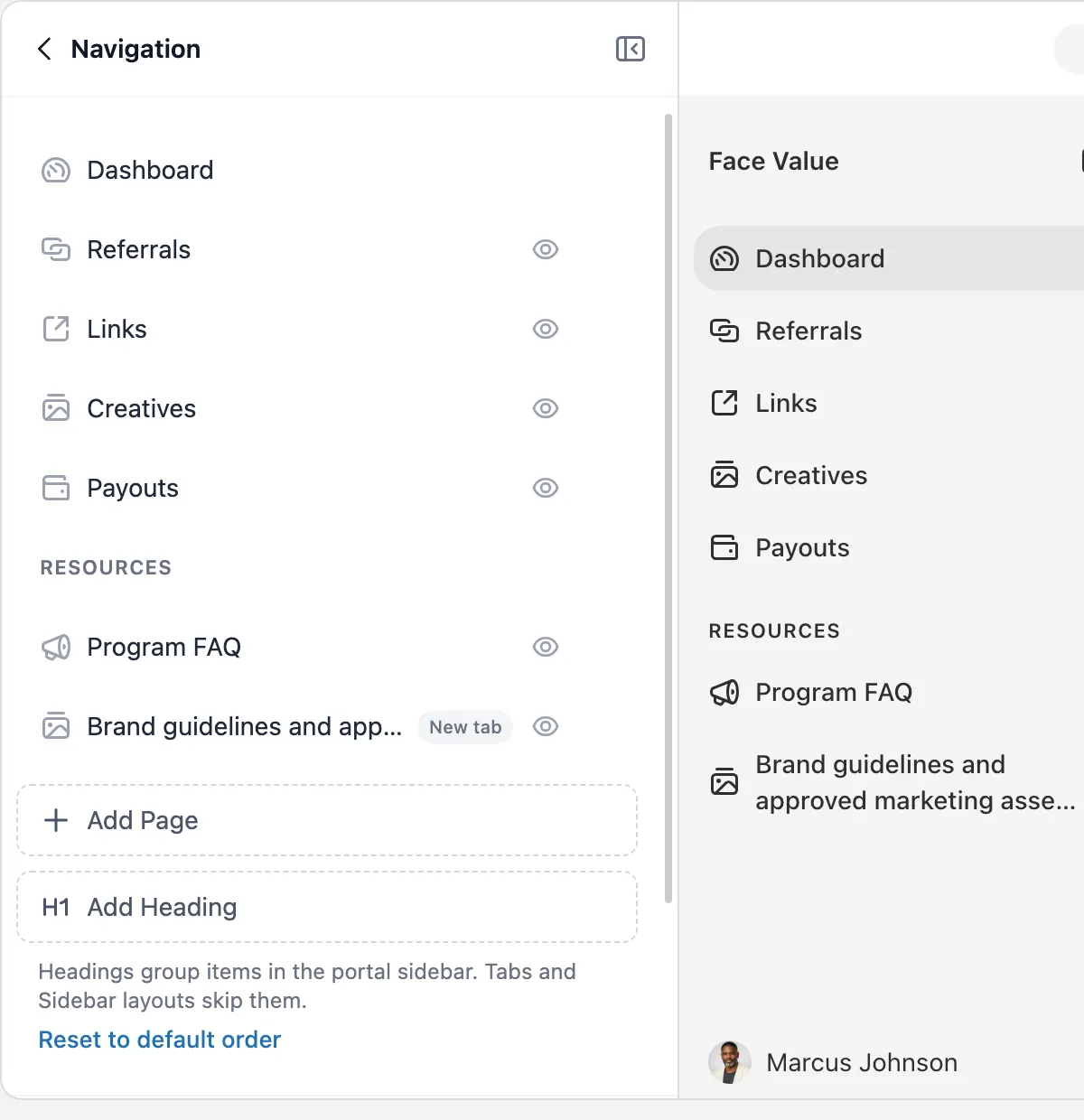
Add any WordPress page to the Affiliate Portal menu as its own screen, or a heading that groups the menu in the Full page layout, then hide, rename or reorder the rest.
Choose Where the Portal Sits on Your Site
The Affiliate Portal has three layouts, and you can switch between them at any time.
Full page
Its own page, with your logo, your menu and a link back to your site.

Side menu
Inside your theme’s header and footer, with a menu down the side.
Top menu
Inside your theme’s header and footer, with tabs across the top.
Guide New Affiliates to Their First Referral
In the Affiliate Portal, new affiliates see a Getting started path on their dashboard, with their link and a suggested post, one step at a time until their first referral. If they haven’t chosen how they get paid by their first commission, the Portal asks them.
Everything Else in the Affiliate Portal
Referrals in Detail
Every referral, with search, a date range and a CSV download.
Payouts in One Place
Your unpaid balance, every past payout, and a CSV for each year.
Dark Mode
The Full page layout has a dark mode, and you choose whether affiliates can switch it.
Coupon Codes
Affiliates see and copy their codes. On Pro, they can ask for their own.
QR Codes
A QR code for the referral link and every saved link, when you turn them on.
Search With ⌘K or Ctrl+K
Paste a store link to get a tracked one, or type “unpaid” for a total.
Phones, Tablets and Desktops
Every layout fits the screen, and the Full page menu opens as a sheet on phones.
Updating From the Portal Addon?
Your Portal settings, logo and menu carry over when you update.
Affiliate Portal FAQs
Every plan includes the Affiliate Portal, with all three layouts, your branding and the menu editor. A few features inside it need Pro, such as coupon code requests. See pricing.
No. The Affiliate Portal is part of AffiliateWP, with no addon to buy.
No. It’s built into AffiliateWP now. When you update, your Portal settings, logo and menu links carry over, and the addon switches off.
Most sites move to the new Affiliate Portal when they update. A site with theme template overrides, or with the Affiliate Area Shortcodes addon, stays on the Classic Affiliate Area, and a notice explains why. You can switch back to the Classic Affiliate Area in one click.
Yes. Side menu and Top menu sit inside your theme’s header and footer, and Full page is its own page with a link back to your site. The Portal can also use your site’s fonts.
Yes. Add any WordPress page to the menu as its own screen. A page built with core blocks shows inside the Portal, and one with a form, an embed or a page builder opens in a new tab.
Yes. Hide, rename or reorder screens in the menu editor.
Yes. It’s a page on your WordPress site, behind your affiliates’ login, so your affiliate data stays on your server.