





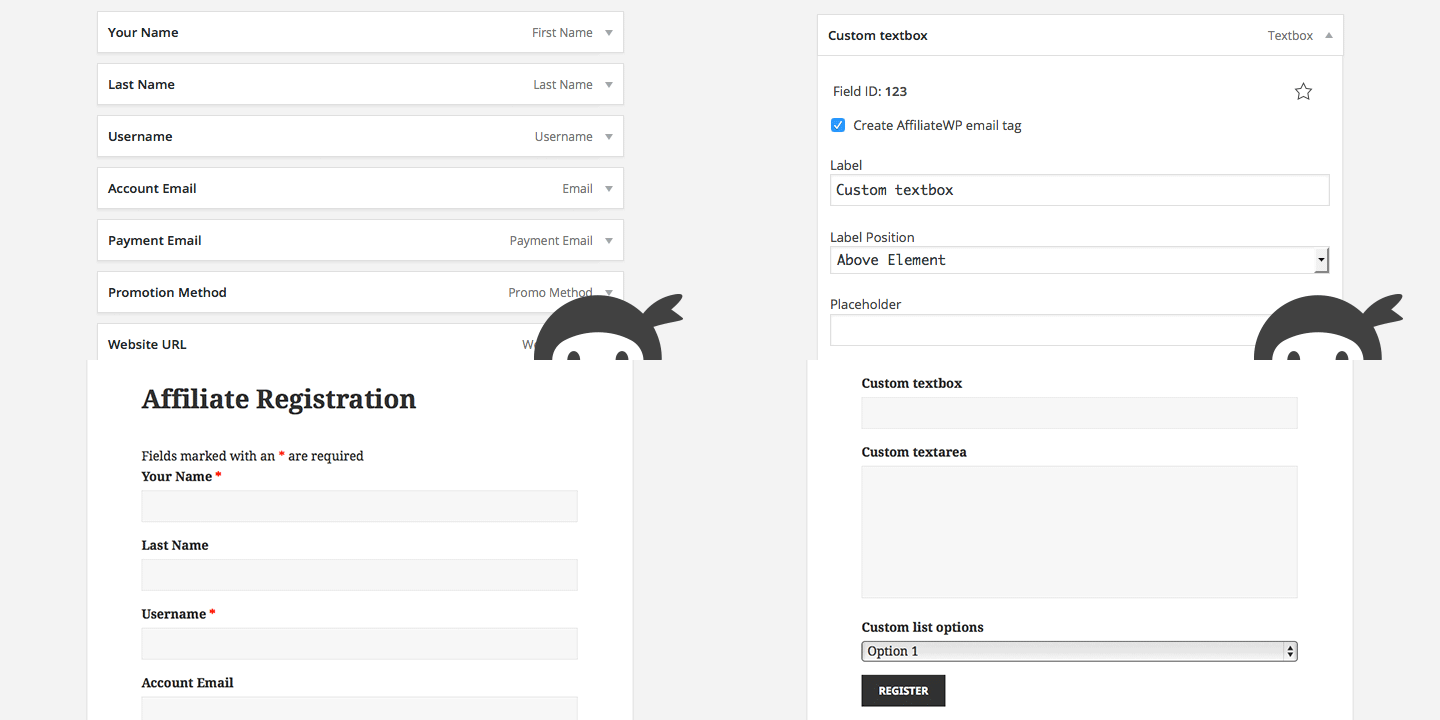
One of the most common support questions we receive is “How can I add my own field/s to the affiliate registration form?”. Although we have a tutorial that shows how to do just that, we understand that it’s not for everyone.
Affiliate Forms For Ninja Forms is a new addon that makes it exceptionally easy to create an affiliate registration form using the flexibility of the free Ninja Forms plugin.
Add any field to your affiliate registration form
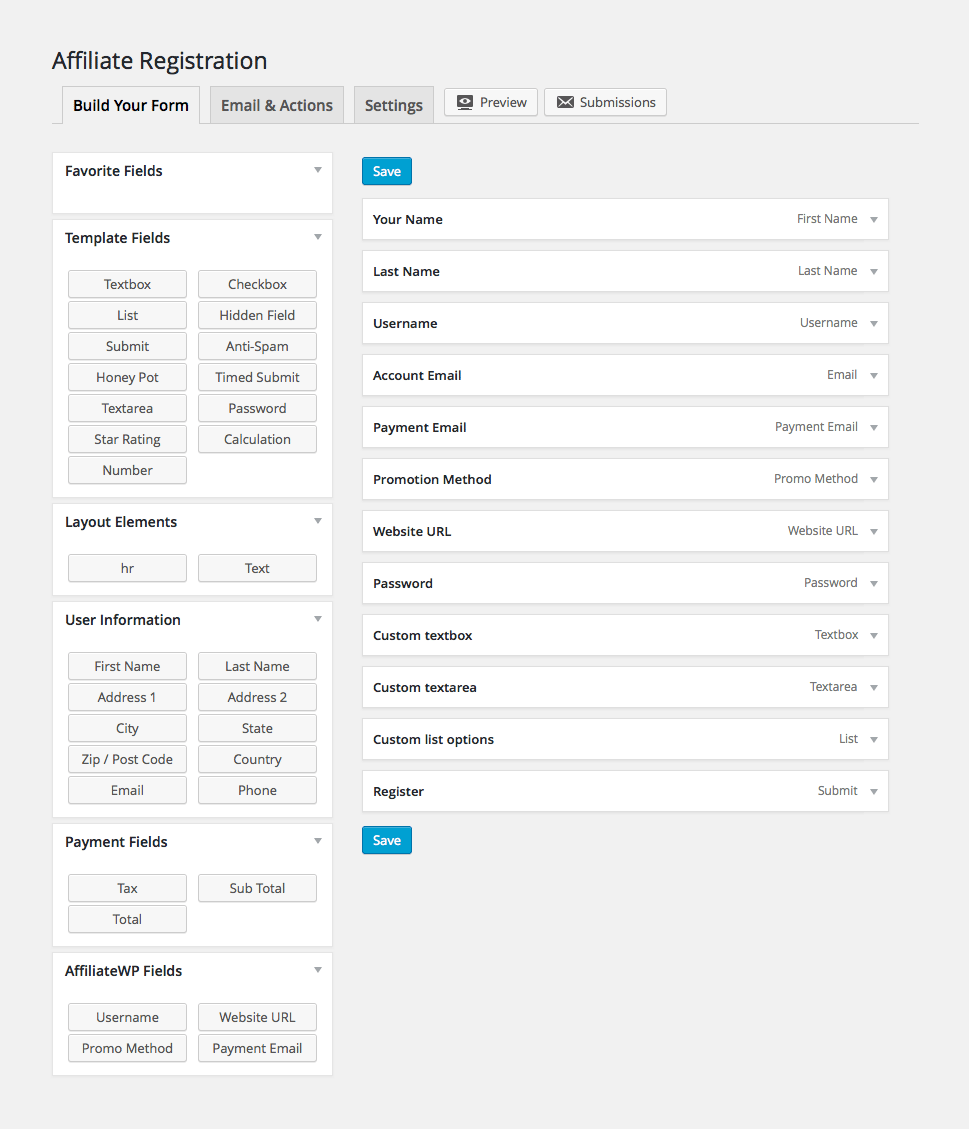
Use any of the default fields provided by Ninja Forms, or the four new field types we’ve added (see bottom left of image) to create your affiliate registration form. As you’d expect, you can drag and drop fields to re-order, make fields required, and label them however you’d like.
Create a simple affiliate registration form
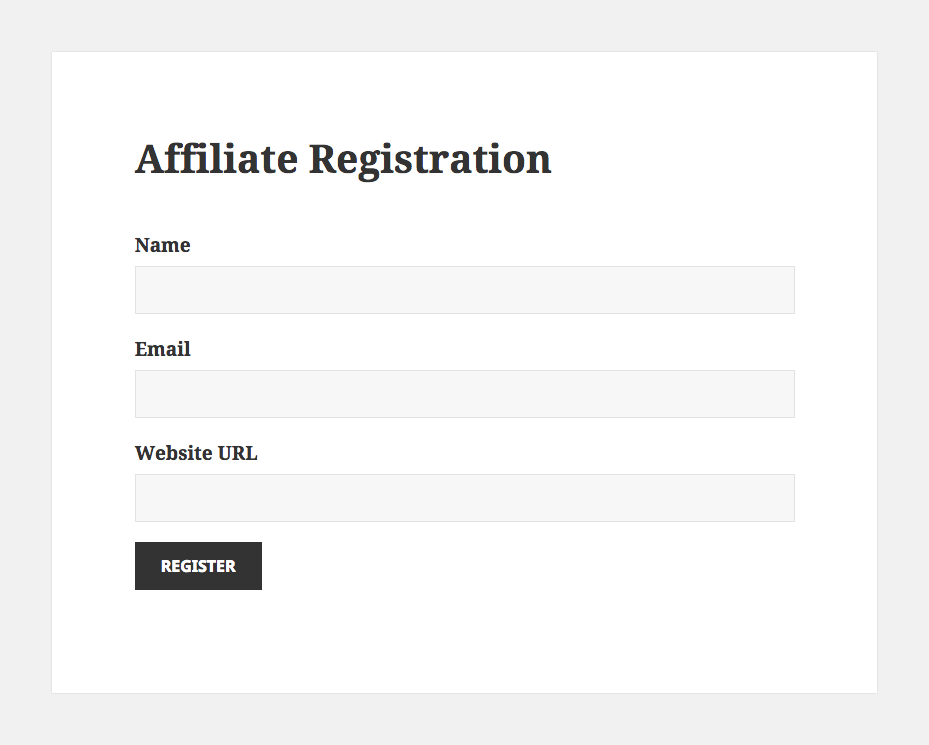
Only the email field is required to create your affiliate registration form. If no username field is added, the affiliate’s WordPress username is automatically created from their email address. If no password field is added, a password is automatically generated for the affiliate.
Create an advanced affiliate registration form
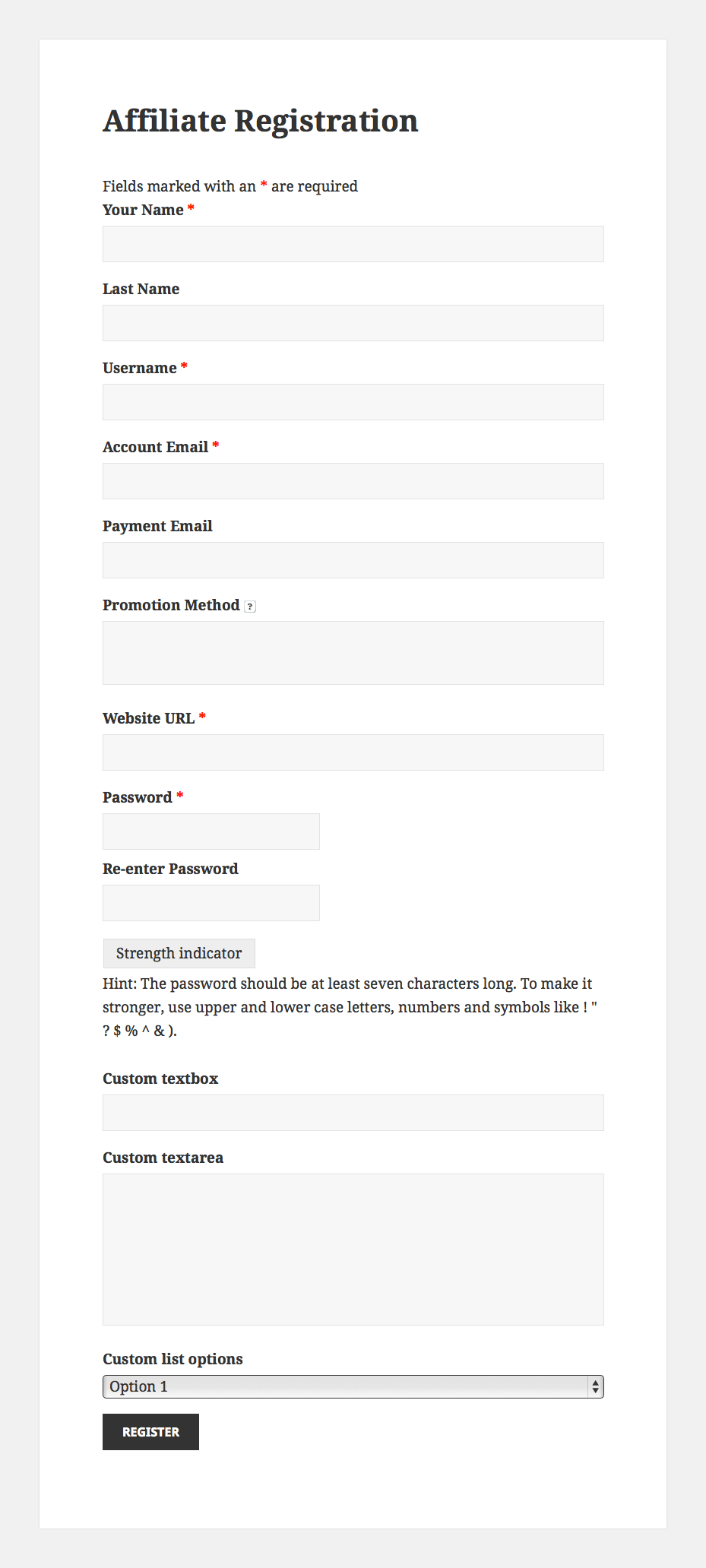
Create custom email tags for AffiliateWP emails
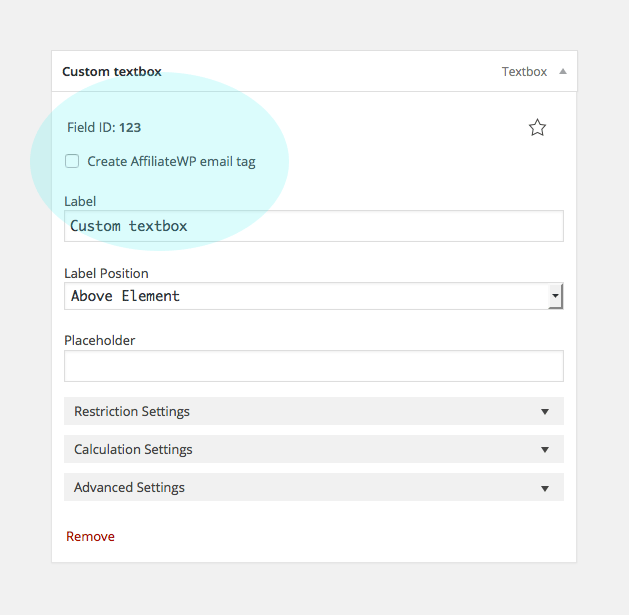
By simply enabling a checkbox on a field, a new email tag will automatically be created which you can use in any of AffiliateWP’s emails.
See form submission data on the review affiliate screen
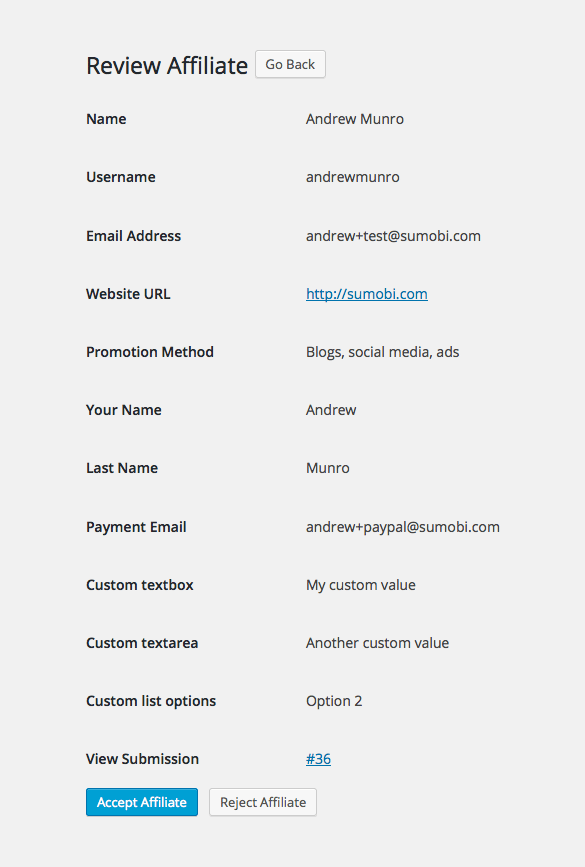
If you require affiliate approval, everything that the affiliate has submitted will be shown to you when reviewing their application (requires AffiliateWP v1.6.2).
View an affiliate’s registration submission at any time

Once an affiliate has registered, their original submission can be viewed at any time from the Affiliates → Edit Affiliate screen.
Use any of the available Ninja Forms addons
Take advantage of the many addons available for Ninja Forms. Here’s just some of the things you could do:
- Send your affiliates to a mailing list at registration. Requires one of the mailing list addons.
- Receive slack notifications when affiliates register. Requires the slack addon.
- Send the submitted data to any external URL using a GET or POST request. Requires the webhooks addon.
- Show or hide fields, change field values, or send specific notifications all based upon user input. Requires the the conditional logic addon.
- Have affiliates upload a file. Requires the File Upload addon.
- Get push notifications when an affiliate registers. Requires the Pushover addon.
- Create PDFs from your affiliate registrations. Requires the PDF Form Submission addon.
Affiliate Forms For Ninja Forms is available today from the account page for all Pro and Plus license holders. If you have a Personal or Plus license, you can upgrade with just a couple of clicks from your account page.
If you’d like to instantly get access to this exciting new addon, click the button below to purchase a Pro or Plus license!
P.S. We’re planning to build similar addons for other popular form builder plugins. Let us know in the comments below which form builder plugin you are using!



Responding to the P.S. – Any chance of integration with Gravity Forms?
Hi Chris! Absolutely, we’ll be building a Gravity Forms version very soon 🙂
Great to hear this has been released! Opens a lot of doors.
Keep up the good work!
thanks
Simon
If Gravity Forms support is added, that means https://www.toddlahman.com/shop/simple-comments/ will work with AffiliateWP. Woot!
Hi, I tried adding this to my affiliateWP. I checked it in integrations and created a form using ninja forms. I set the form under the Ninja forms tab, in affiliateWP. When people sign up through the chosen form nothing happens – I don’t get any submissions in AffiliateWP.
Is there something I am missing?
Could you go ahead and send us a support ticket? We’ll be happy to help track down the issue.