





Your customers can now review what they bought without leaving the RewardsWP rewards widget, and they even see the points a review earns before they start writing. On WooCommerce it uses your product reviews as they are, and on Easy Digital Downloads it works with the EDD Reviews extension.
Now, let me show you what your customers see when they open the widget to leave a review.
Your customers get their own list of products to review
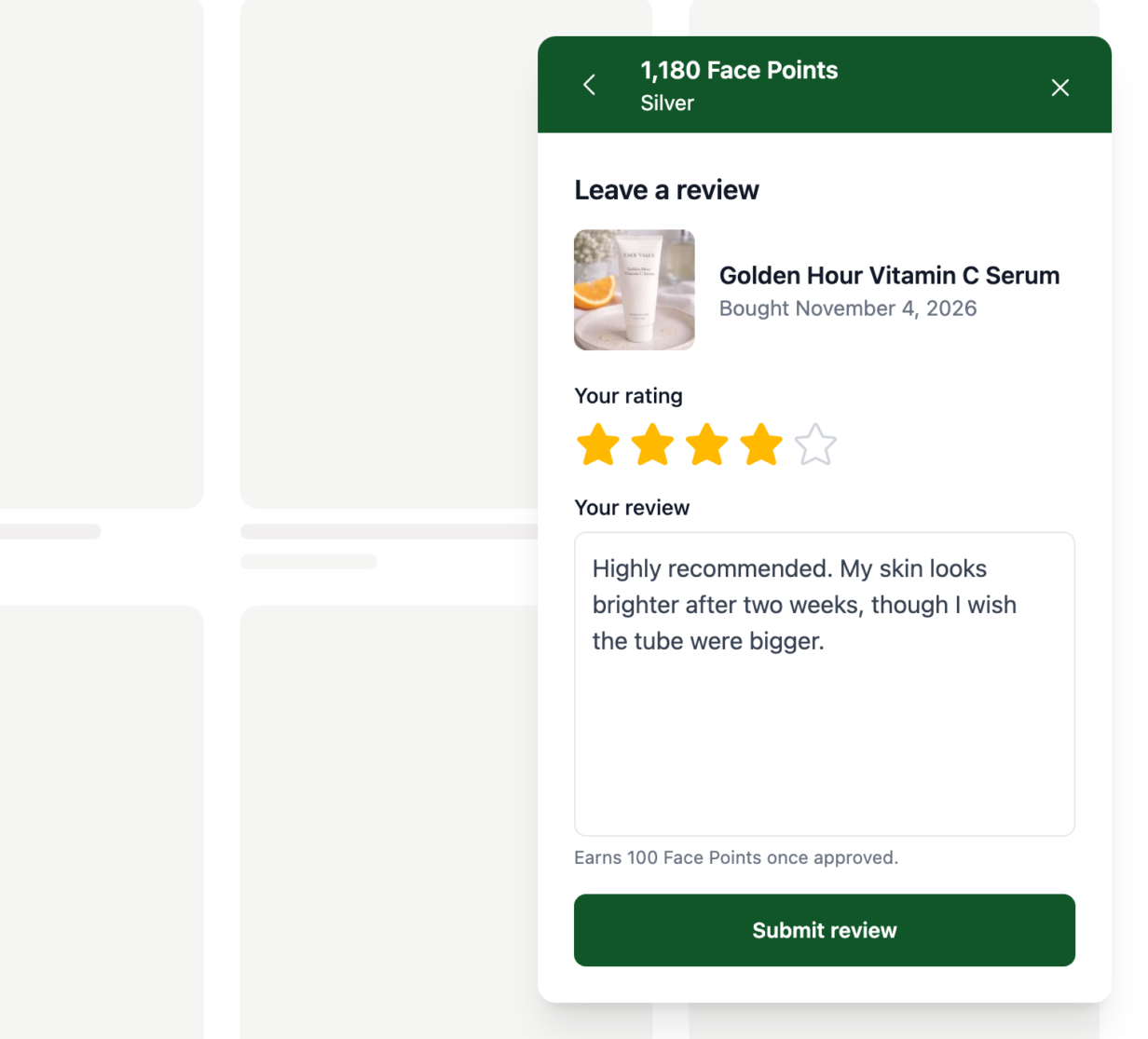
Your customers start in the rewards widget, where the Review button beside Leave a review now opens the products they’ve bought, newest order first. The product they pick opens its review form right there, with the date they bought it.
On WooCommerce, the form uses your own review settings, so it shows stars only if you allow star ratings, and requires them only if you do. A product they’ve already reviewed shows its status instead, such as Awaiting approval, and opens the review they wrote.
You can also send customers straight to that list with yourstore.com/?rewardswp=earn-review. It opens each customer’s own list, and asks them to sign in first if they need to. Put it in a follow-up email from your email marketing tool, and send it a week or two after the order, when they’ve had time to use what they bought.
Customers see the points first, and earn them once the review is approved
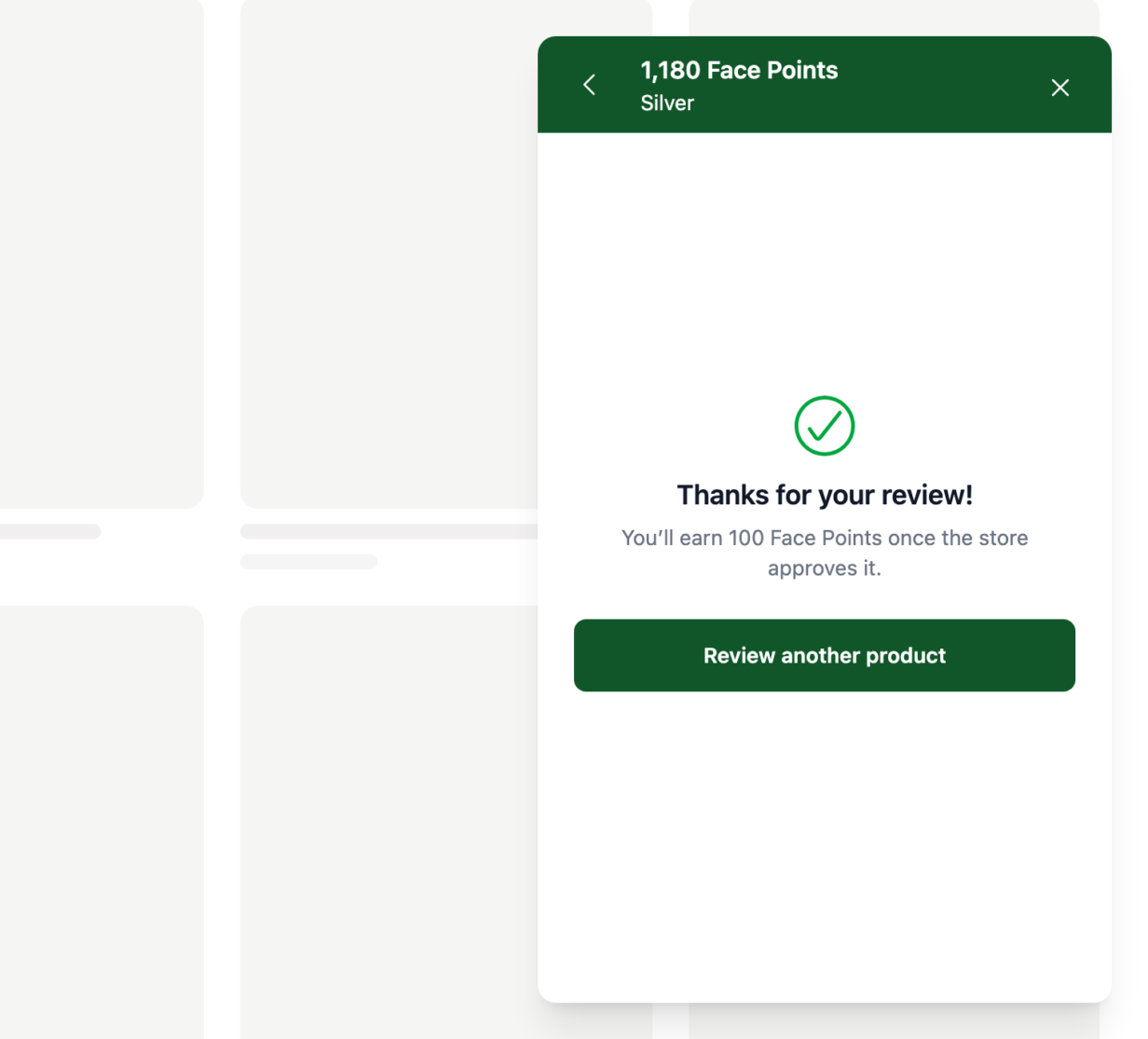
Before your customer writes a word, the form tells them what the review earns. When they send it, they see a thank-you and what happens next.
A review earns its points when it’s approved, not when it’s posted. On WooCommerce, reviews are comments, so your WordPress comment settings decide whether that happens at once. On Easy Digital Downloads, the EDD Reviews extension decides. When a review is approved at once, their points balance updates in the widget without a reload. When your settings hold reviews for you to check, the thank-you tells your customer the points come once you approve it.
The review form on your product pages now shows the points too, so a signed-in customer sees what a review earns there as well.
Choose how many reviews earn points
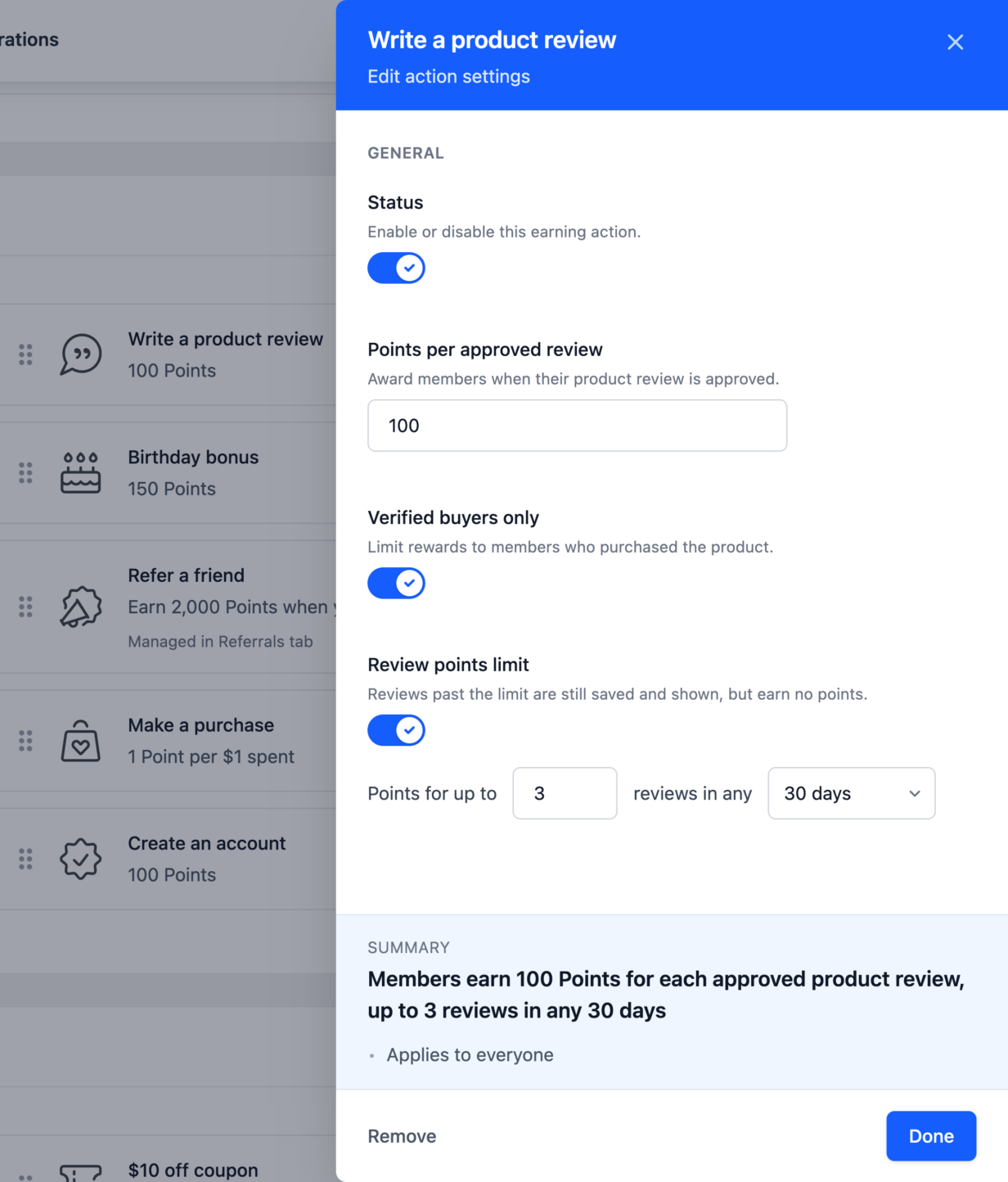
Generous review points are easier to offer when you know the cost. In Write a product review, turn on Limit how many reviews earn points, set the number of reviews, and pick a window of 1, 7, 30 or 365 days.
Your customers can keep reviewing past the limit, and the widget tells them when review points unlock again. Each customer can review a product once, so the same product never pays twice. A review that’s waiting for approval doesn’t count toward the limit until it’s approved, so if the limit fills first, it earns no points.
Ask for reviews where your customers already check their points
Reviews in the rewards widget are in every RewardsWP plan, so you get them with the latest update, and your review settings stay as you left them. If you don’t run RewardsWP yet, the pricing page shows what each plan includes.
Next step: open RewardsWP > Settings > Points and make sure Write a product review is on under Ways to Earn. The product review guide covers every setting. The next time your customers open the widget for their points, what they bought is right there to review.
Product review FAQs
Yes, as long as the points don’t depend on the rating. RewardsWP gives the same points for every review, good or bad, which is what rules such as the FTC’s rule on consumer reviews allow. This isn’t legal advice, so check the rules where you sell.
Yes. Once they confirm their email, the order joins their list in the widget.
The widget shows the reason, with a link to finish the review on the product page.