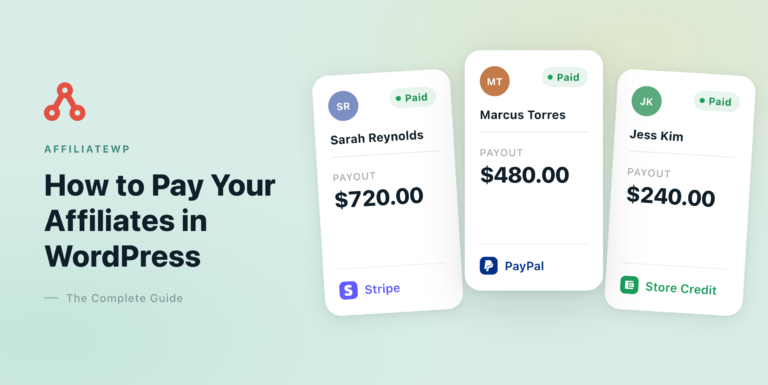
AffiliateWP is a WordPress plugin that runs your own affiliate program on your own site. It gives each affiliate a referral link or coupon code, credits the sales they send through WooCommerce or 20+ other plugins, calculates the commission, and pays them by Stripe, PayPal, store credit or by hand.
There’s no affiliate network in between, no monthly platform fee and no share of your sales. Tracking, approvals and payouts all happen in your WordPress dashboard, next to your orders.
In this guide, I’ll walk through how it works from install to payout, what your affiliates see, which plan includes what, and where it stops. Each section links to a deeper guide when you’re ready for the detail.
The short version
- What it does: tracks referral links and coupon codes, calculates commissions, gives affiliates their own dashboard and catches common fraud before you pay.
- What it works with: WooCommerce, Easy Digital Downloads, MemberPress, LearnDash and 20+ other WordPress plugins.
- Plans: Personal, Plus, Pro and the Growth Bundle, all yearly licenses. Every payout method is on every plan; payout schedules, lifetime and recurring commissions are on Pro.
What AffiliateWP is, and what it isn’t
AffiliateWP is a plugin you install on the WordPress site where you already sell. It adds three things: a way for people to apply as affiliates, tracking that credits each sale to the affiliate who sent it, and an admin area where you approve affiliates and pay them.
The important word is “own”. Affiliates sign up on your site, their dashboard lives on your domain, and the data stays in your database. Payments go from your own Stripe or PayPal account to the affiliate, so AffiliateWP never holds the money.
That’s a different model from the two other ways stores usually run affiliate programs. Here’s how they compare:
| AffiliateWP | An affiliate network | A hosted (SaaS) affiliate platform | |
|---|---|---|---|
| Where the program runs | On your WordPress site | On the network’s site | On the platform’s servers |
| Who finds the affiliates | You recruit your own | The network’s existing pool | You recruit your own |
| What it costs | A yearly license, no share of sales | Usually a fee or a cut per sale | A monthly fee, often tied to your revenue |
| Where your data lives | In your WordPress database | With the network | With the platform |
| Which stores it works for | WordPress sites only | Most platforms | Most platforms |
The trade is simple. A network brings affiliates you didn’t have to find, and a hosted platform works on any checkout. AffiliateWP gives up both to run inside the WordPress site you already have, at a flat yearly price.
If you’re still deciding whether you need an affiliate program, a referral program or a loyalty program, our guide to affiliate marketing versus referral marketing explains the difference. And if you’re comparing plugins, our roundup of affiliate plugins for WooCommerce sets AffiliateWP beside the alternatives.
Who AffiliateWP is for, and who it isn’t for
AffiliateWP is built for small and growing businesses that sell on WordPress. You don’t need to write code: the setup wizard finds WooCommerce on your site and turns the integration on for you. In practice, the people who use it tend to fall into three groups:
- Store owners on WooCommerce or Easy Digital Downloads who want creators, bloggers and customers to promote their products, often with coupon codes as well as links.
- Course, membership and subscription sellers on plugins such as LearnDash, LifterLMS, MemberPress or Paid Memberships Pro, who want affiliates rewarded on signups, renewals or every future purchase.
- Agencies and developers who set up programs on client sites. It’s the same no-code setup, with hooks, templates and an API there when a client needs something custom.
It isn’t built for stores that sell off WordPress: the sale has to complete through WooCommerce or another supported WordPress plugin.
It’s also not built for rewarding customers with points or a refer-a-friend discount. That’s a loyalty program, which is what our sibling plugin, RewardsWP, is for.
How AffiliateWP works, from install to payout
The easiest way to understand AffiliateWP is to follow one program from the day it’s installed to the day affiliates get paid. Alf’s Flowers and Gifts sells bouquets, wedding flowers, plants and gift boxes with same-day delivery on WooCommerce, and pays affiliates 20% of each order.
Step 1: Install AffiliateWP and connect your store
Everything starts with a setup wizard. After you install and activate the plugin, the wizard walks you through five short steps, and the second one is the one that matters most: choosing the plugin your sales come from.
AffiliateWP detects the plugins your site already runs and switches on their integrations for you. All Integrations lists the rest: ecommerce, memberships and courses such as MemberPress and LearnDash, forms and donations.

You can change the integrations later at AffiliateWP » Settings » Integrations. Once your store is connected, AffiliateWP can see every order, so the next job is deciding what an affiliate earns from one.
Step 2: Decide what affiliates earn
Commissions are set at AffiliateWP » Settings » Commissions. You choose a Referral Rate Type (a percentage of the order, or a flat amount) and a default Referral Rate, and you can leave shipping and tax out of the calculation.
The same screen holds the tracking rules. Cookie Expiration is how many days a visitor has to buy after clicking a link (30 by default).
Credit Last Referrer decides who gets the sale when two affiliates sent the same customer. It’s off by default, so the first affiliate keeps the credit.

The default is only the starting point. You can give one affiliate their own rate (Alf’s Flowers and Gifts pays Marcus 25%), and set rates per product, per category or per affiliate group.
On the Pro plan, you can also pay on subscription renewals, on every future order from a referred customer, or at a higher rate as an affiliate hits milestones.
If you’re not sure what to pay, our guide to what commission to pay affiliates walks through typical rates and how to pick yours.
Step 3: Bring in affiliates
Affiliates join through a registration form on your site, which you add with a block or a shortcode. You decide whether every application waits for your approval or new affiliates are accepted straight away.
When an application comes in, it appears on the Review Affiliate screen with everything the applicant told you, including how they plan to promote you. Here’s Rosa, who writes a wedding-planning blog and has just applied to Alf’s program.

Review with AI reads the application against your own review instructions and recommends accepting or rejecting it, though you make the final call. On WooCommerce, Dynamic Coupon creates the affiliate’s coupon code as you accept them.
Once you’ve accepted a few people, your program lives on the Affiliates screen. Each row shows an affiliate’s status, their rate, and what they’ve earned so far, paid and unpaid.

You can also invite the customers who already love your store. The Affiliate Signup Widget offers customers the chance to join your program on their order confirmation and account pages, on WooCommerce, Easy Digital Downloads and MemberPress.
Step 4: Track every visit and sale
Every affiliate gets a referral link, such as yoursite.com/ref/42/. When someone clicks it, AffiliateWP records a visit and sets a cookie on your own domain. If that visitor buys before the cookie expires, the affiliate gets the credit.
Coupon codes work the same way: a code assigned to an affiliate credits them on any order that uses it, with or without a link. That’s how a podcast host who reads a code out loud gets paid.
Lena, the store’s busiest affiliate, shares both a link and her LENA15 code. Three of her nine sales came through the code.
Each credited order becomes a referral, and its status tells you where it stands:
- Pending: the order isn’t complete yet, such as Lena’s newest order, which is on hold.
- Unpaid: the order is complete and the affiliate is owed the commission.
- Paid: the commission has been paid.
- Rejected: the commission won’t be paid, for example because the order was refunded.

That last row is worth a closer look. When the customer behind Marcus’s Classic Red Rose Bouquet order got a refund, AffiliateWP rejected the $17.00 referral by itself, because Reject Unpaid Referrals on Refund is on. Nobody had to spot it before payday.
If you want to see the moving parts of tracking in more depth, our explainer on what affiliate tracking is covers cookies, coupons and attribution.
Step 5: Pay your affiliates
When it’s time to pay, AffiliateWP gives you four methods, and every one of them is on every plan:
- Stripe: pay affiliates in your own country or abroad. AffiliateWP creates a Stripe Express account for each affiliate, and the affiliate confirms their details on Stripe. From a US or UK Stripe account, bank payouts also reach affiliates in over 90 countries in their own currency.
- PayPal: pay affiliates at their PayPal email address, in your store’s currency.
- Store credit: pay commissions as credit the affiliate spends in your store, on WooCommerce, or on Easy Digital Downloads with the EDD Wallet plugin.
- Manual: pay outside AffiliateWP, by bank transfer or any other way, and record it so the referrals are marked Paid.
You switch methods on at AffiliateWP » Settings » Payouts. You can also set a default method, let affiliates choose their own, and have AffiliateWP email affiliates and retry when a payout fails.

To pay everyone at once, click Pay Affiliates at AffiliateWP » Payouts. You pick the period, an optional minimum, and whether each affiliate is paid by their own method. A preview shows every affiliate and the total before anything is sent.

Here’s the Payouts screen after two payout runs. Each affiliate was paid by their own method: Lena by Stripe, Marcus and Diego by PayPal, Hana in store credit and Chloe manually. Each payout is tied to the referrals it covered.

On the Pro plan, payout schedules at AffiliateWP » Payouts » Schedules run this weekly or monthly. Our guides on how to pay your affiliates in WordPress and automating affiliate payouts cover each method.
See which plan fits your program. Every AffiliateWP plan includes referral tracking, coupon tracking, the Affiliate Area and every payout method. Pro adds automatic payouts, lifetime and recurring commissions, and the Pro Anti-Fraud checks. See AffiliateWP plans
What your affiliates see
Affiliates don’t log in to WordPress’s admin. They get the Affiliate Area, a dashboard on a page of your own site, where they can copy their referral link, build links to any page, download your banners and text links, and follow their results.
Here’s Lena’s Statistics tab. She has sent 142 visits, eight of which became paid or unpaid referrals, a 5.63% conversion rate, and she can see what she’s been paid and what’s still owed.

Her Referrals tab lists each completed sale she was credited for, with the product and whether it’s been paid, so she can check her own numbers without emailing you.

Other tabs cover graphs, visits, payouts, coupons and settings, where she can pick how she’s paid if you allow it. The Affiliate Area Tabs addon, on every plan, hides, reorders or adds tabs.
On the Pro plan, the Affiliate Portal addon replaces this dashboard with a modern, standalone one.
The features you get, at a glance
Beyond the core flow, most of what you’ll use day to day falls into a handful of areas. This table shows each one and the plan it starts on:
| Feature | What it does | Plan |
|---|---|---|
| Referral links and coupon tracking | Credits sales from links, and from coupon codes on WooCommerce, Easy Digital Downloads and MemberPress | All plans |
| Commission rules | Percentage or flat rates, per affiliate, per product, per category and per group | All plans |
| Affiliate Area | The affiliate’s dashboard on your site, with links, creatives, stats and payouts | All plans |
| Creatives | Banners and text links for affiliates to share | All plans |
| Every payout method | Stripe, PayPal, store credit and manual payouts, in one run | All plans |
| Self-referral protection and blocked sites | Stops affiliates earning on their own orders, and ignores visits from sites you block | All plans |
| Review with AI | Recommends accepting or rejecting an application, using AI review credits | All plans |
| Reports and affiliate emails | Program reports, plus notifications and monthly summaries for affiliates | All plans |
| Multi-Currency and Signup Referrals | Converts commissions from other currencies, and pays a commission when a referred visitor signs up | Plus and up |
| Automatic payouts | Pays affiliates automatically, weekly or monthly | Pro and up |
| Lifetime, recurring, tiered and multi-tier commissions | Pays on reorders, renewals, milestones and recruited affiliates | Pro and up |
| Pro Anti-Fraud checks | Referring site, conversion rate, paid-traffic and IP velocity checks | Pro and up |
| Affiliate Portal, Landing Pages, Vanity Coupon Codes | A modern affiliate dashboard, affiliate pages credited without a link, and branded codes | Pro and up |
A few of these deserve a closer look.
Fraud protection that runs before payday
The Anti-Fraud tab at AffiliateWP » Settings decides what happens to suspicious activity. Self-referrals are rejected by default on every plan, which means an affiliate who buys through their own link doesn’t earn on it.

On Pro, the same tab checks referring sites, conversion rates, paid ad traffic and repeated signups from one IP address. Each check can flag suspicious activity, and most can reject it outright, so you can review a flagged referral before you pay it. The Anti-Fraud documentation explains each one.
AI that works inside your program
AffiliateWP has an AI MCP tab at AffiliateWP » Tools. It connects an AI assistant such as Claude or ChatGPT to your program, so you can ask it to find your top affiliates in plain English.
Assistants can read your program data, and they can only make changes once you turn on write access. It needs WordPress 6.9 or later. Our guide to managing your affiliate program with AI shows it in use.
Addons for specific jobs
Several features, including most Pro ones, come as addons that you install from AffiliateWP » Addons with one click. Buying a plan doesn’t switch them on, so you only add the ones your program needs.
AffiliateWP plans and pricing
AffiliateWP has four plans, and each is a yearly license. The first-year prices are:
| Plan | First-year price | Sites | What it adds |
|---|---|---|---|
| Personal | $149.50 | 1 | Tracking, coupons, commission rules, the Affiliate Area, every payout method, basic fraud protection and all integrations |
| Plus | $199.50 | 2 | Multi-Currency, Signup Referrals (a commission on signups), and registration forms built with Gravity Forms or Ninja Forms |
| Pro | $299.50 | 5 | Automatic payouts, lifetime, recurring, tiered and multi-tier commissions, the Pro Anti-Fraud checks, the Affiliate Portal and priority support |
| Growth Bundle | $349.50 | 5 for each plugin | Everything in Pro, plus RewardsWP Pro for customer loyalty |
Renewals are at the regular price ($299, $399, $599 and $699 a year). Prices change with promotions, so check the pricing page for today’s figures. There’s no free version or free trial. Instead, every plan has a 14-day money-back guarantee.
One licensing detail is worth knowing up front. Plus and Pro features need an active license, so if it lapses, those features and any scheduled payouts stop. Tracking on your site keeps running either way, and the license renewal doc explains what changes.
AffiliateWP or RewardsWP: which do you need?
AffiliateWP and RewardsWP are sibling plugins from the same team, and they’re easy to confuse because both involve referrals. The difference is who you’re rewarding.
- AffiliateWP pays partners a commission for the sales they send you. Your affiliates are often people who aren’t customers at all, such as bloggers, creators and other businesses.
- RewardsWP rewards your existing customers for coming back. They earn points on purchases, get a refer-a-friend link that can reward both sides, and on its Pro plan move up VIP Tiers. It runs on WooCommerce or Easy Digital Downloads.
Plenty of stores run both: affiliates promoting the business, and a loyalty program for the people buying from it. They’re separate plugins that don’t share data, and the Growth Bundle includes the Pro version of each. See what RewardsWP is for more.
Where AffiliateWP stops
No plugin fits every program, and a few limits come up often enough to name plainly:
- WordPress only. The sale or signup has to happen on your WordPress site through a supported plugin. If your checkout runs on a hosted platform outside WordPress, AffiliateWP can’t see it.
- Schedules are weekly or monthly. There’s no daily or threshold-triggered option.
- One affiliate per sale. Credit goes to the first referrer, or the last if you choose, and there’s no split between several affiliates.
- Bank payouts depend on your Stripe account’s country. Paying international affiliates straight to their bank in their own currency needs a US or UK Stripe account.
If you’d like a verdict on whether those trade-offs work for you, our AffiliateWP review weighs where it does well and where it falls short.
Guides for every part of AffiliateWP
This page is the overview. Each part of running a program has its own guide, so here’s where to go next, depending on your question:
- Setting up: how to set up an affiliate program in WordPress, or the WooCommerce version if that’s your store.
- Commissions: what commission to pay affiliates, and lifetime affiliate commissions for repeat customers.
- Paying affiliates: the complete guide to paying affiliates, paying affiliates with Stripe and automating payouts.
- Choosing a plugin: the AffiliateWP review, our roundup of WooCommerce affiliate plugins, and the full list of integrations.
- Plans: the pricing page, with every feature by plan.
Frequently asked questions
Is AffiliateWP free?
No. AffiliateWP is a paid plugin with yearly licenses, starting with the Personal plan. There’s no free version or trial, but every plan comes with a 14-day money-back guarantee, so you can try it on your own store first.
Does AffiliateWP work with WooCommerce?
Yes. WooCommerce is AffiliateWP’s most-used integration, and it supports link and coupon tracking, coupons created for each affiliate, per-product and per-category rates, store credit payouts and refund handling. Easy Digital Downloads, MemberPress and 20+ other plugins are supported too.
Do I need a separate website for my affiliates?
No. Affiliates sign up and use the Affiliate Area on a page of your existing WordPress site, under your own domain. They never see your WordPress admin screens.
Does AffiliateWP take a cut of my sales?
No. You pay for the license and that’s all AffiliateWP charges, however many affiliates or sales you have. Stripe and PayPal still charge their own standard fees when you pay affiliates through them.
Is AffiliateWP an affiliate network?
No. AffiliateWP runs your own program on your site, so you recruit your own affiliates instead of joining a network’s pool. That keeps the relationships and the data with you, and it means finding good affiliates is your job.
Can I move my existing affiliate program to AffiliateWP?
Yes. AffiliateWP can migrate from Affiliates Pro and WP Affiliate, and you can import affiliates and referrals from a CSV file from any other tool. Existing WordPress users can also be turned into affiliates.
Next, set up your first affiliate program
Now that you know how the pieces fit together, the natural next step is putting them in place on your own store. Our step-by-step guide on how to set up an affiliate program in WordPress takes you from installing the plugin to your first referral.
Run your own affiliate program on WordPress
AffiliateWP tracks every referral, pays every affiliate their way, and runs on the site you already have. The first year is discounted, renewals are at the regular price, and there’s a 14-day money-back guarantee.