Most affiliate payout methods need a third-party account, API keys, and some configuration before any money moves. Store credit needs none of that. If you run a WooCommerce or EDD store and your affiliates are also your customers, it might be the smartest payout option you have not tried yet. Commissions stay inside your store. Affiliates spend them on your products, get to know them better, and promote them more authentically. The whole loop tightens.
AffiliateWP has Store Credit built-in. No separate add-on required. Setup takes a few minutes.
Setting Up Store Credit
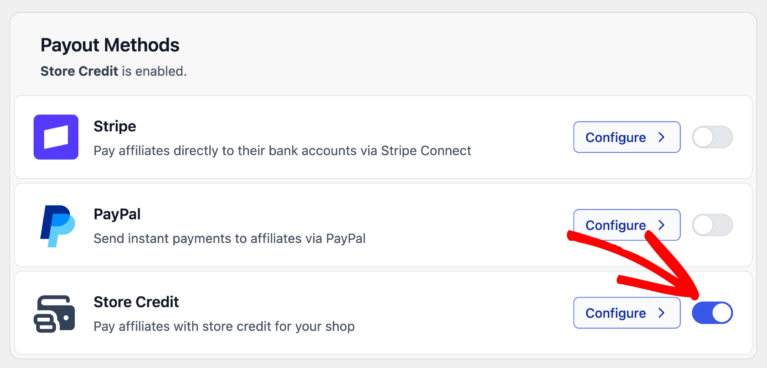
Go to AffiliateWP > Settings > Payouts. Find the Store Credit card, enable the toggle, and click Configure to open the settings panel.
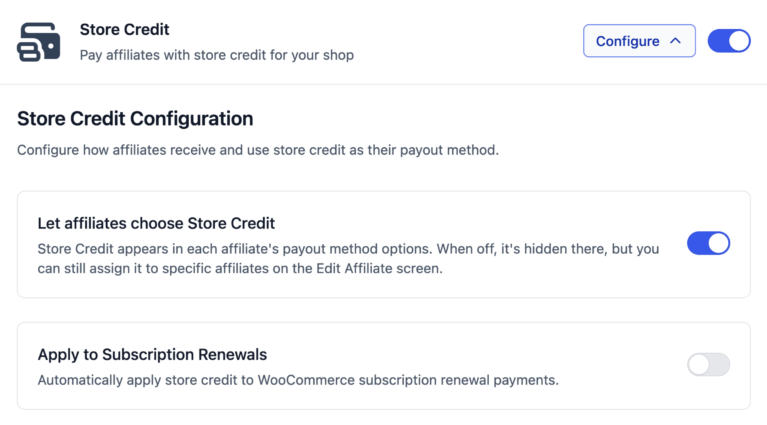
Inside, two options control how Store Credit behaves across your program.
- Let affiliates choose Store Credit adds store credit to the payout method picker inside each affiliate’s account. When this is on, affiliates can select it themselves without any action on your end. When it is off, store credit is still available but only to affiliates you assign it to directly.
- Apply to Subscription Renewals is for WooCommerce Subscriptions stores. Enabling it automatically applies an affiliate’s store credit balance toward their subscription renewal charges, with no manual step required.
Making Store Credit the Default
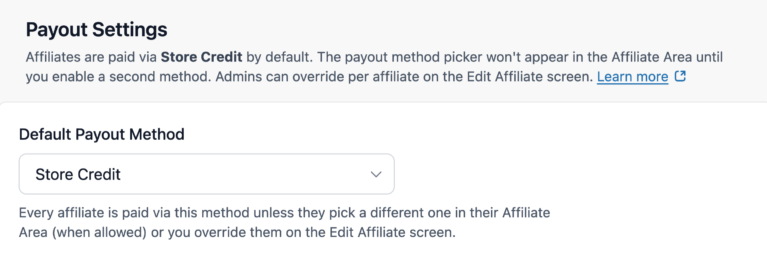
If store credit is your primary payout method, you can set it site-wide. On the same Payouts tab, open the Default Payout Method dropdown and select Store Credit.
Every affiliate will then be paid in store credit unless you have overridden their method individually or they have chosen something else from their profile.
To assign store credit to a specific affiliate, go to AffiliateWP > Affiliates, open their profile, and set the Payout Method dropdown to Store Credit. This overrides both the site default and any method the affiliate may have chosen themselves.
Paying Affiliates
Once store credit is configured, you do not need to change anything about your payout process. When a referral is marked as Paid, the balance updates automatically.
For individual payouts, go to AffiliateWP > Referrals, hover over any unpaid referral, and click Pay. The credit is applied immediately.

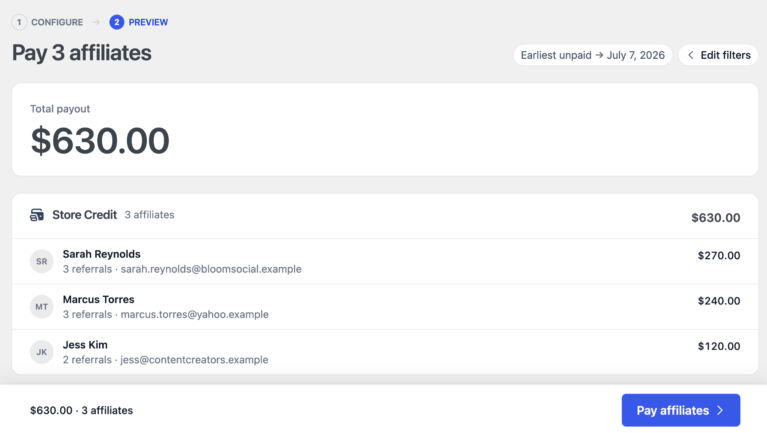
For bulk payouts, go to AffiliateWP > Payouts > Pay Affiliates, select Store Credit as the payout method, choose a date range, and run. AffiliateWP handles all qualifying referrals for store-credit affiliates in that range at once.
What Affiliates See
Affiliates can check their current balance on the Settings tab of their Affiliate Area, under the Store Credit section, labeled Available balance.
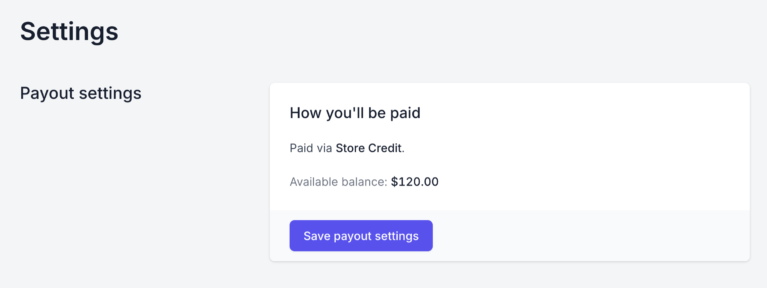
At WooCommerce checkout, affiliates with a positive balance see a notice automatically: “You have an account balance of $[amount]. Would you like to use it now?” One click applies the credit as a discount on the order. This works with both classic WooCommerce checkout and block-based checkout.

Frequently Asked Questions
Store credit needs none of that. No payment processor, no API keys, no third-party account. You enable it in AffiliateWP settings, and when a referral is marked Paid, the balance updates automatically. Everything stays inside your store.
At WooCommerce or EDD checkout, affiliates with a positive balance see a notice: “You have an account balance of $X. Would you like to use it now?” One click applies it as a discount. It works with both classic and block-based WooCommerce checkout.
No. Store credit cannot be used alongside other WooCommerce coupon codes in the same checkout. The affiliate will need to remove any existing coupon before applying their credit.
The AffiliateWP > Affiliates list has a Store Credit column showing every affiliate’s current balance. You can also open any affiliate’s profile and find their balance in the Store Credit section, where you can also make manual adjustments.
Yes, but the EDD Wallet extension must be installed and active. Without it, store credit will not function with EDD even if EDD is your active integration.
Start Paying Affiliates with Store Credit
If your affiliates are also your customers, store credit turns every commission into a reason to come back and shop. They earn, they spend, they know your products better, and that shows in how they promote.
AffiliateWP has it built in. Enable it, assign it, and the rest runs automatically.